


Zobaze POS Billing & Inventory
4.7243.00 Reviews
App Specs
- Version
- 2.7.54
- Updated On
- License
- Free
- Downloads
- 1,000,000+
- Developer
- Business Apps By Zobaze - POS, Billing, Inventory
- Categories
- Business
- Platform
- Android
Screenshots
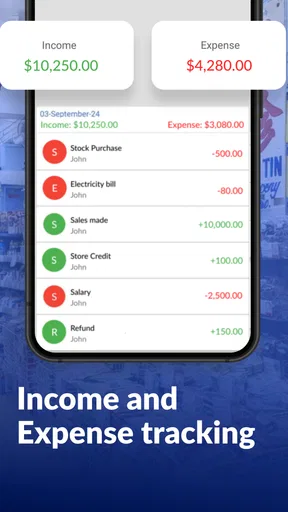
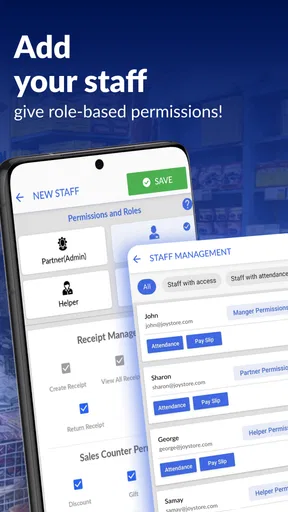
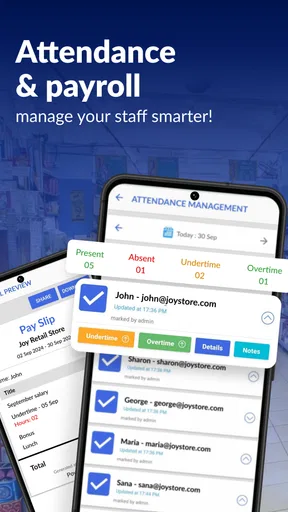
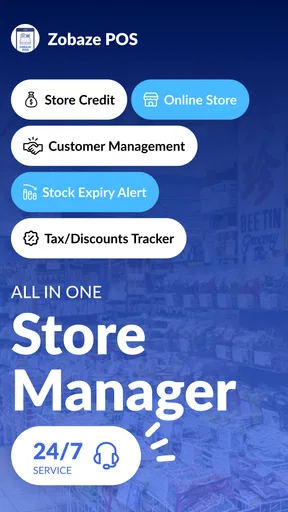
 Analysis by AppCompare
When a shop gets busy, billing and stockkeeping compete for the same attention: serve the person at the counter, record the sale, and remember what needs replenishing. I find that’s the moment a mobile point-of-sale tool has to prove its value. Zobaze POS Billing & Inventory is a business app from Business Apps By Zobaze - POS, Billing, Inventory, built around bringing those jobs together rather than leaving them in separate notebooks or basic phone apps.
A busy counter is the real test
Picture a small shop opening for the day. The owner wants to ring up purchases quickly, keep an eye on what is selling, and avoid discovering too late that a popular item is gone. A paper ledger can record a sale, but it takes extra effort to connect that entry to stock and customer history. A general spreadsheet gives more control, but it can be awkward to update while serving someone. A dedicated POS app can make the routine more direct, provided its setup matches the way the business actually works.
This is the kind of situation where I’d consider Zobaze: a shop or other small business that needs billing and inventory tools close at hand, and would rather begin with a phone-based workflow than commit immediately to a more elaborate system. Its offline POS focus is especially relevant for owners who want the checkout process to remain usable when internet access is unreliable. Offline use can help with continuity, but it is still sensible to check how the business’s own devices and routines handle any later syncing or record-sharing needs before relying on it as the sole source of truth.
From product entry to a completed sale
I’d approach the setup as a piece of business housekeeping, not a quick download followed by an expectation that the app will know the shop. Start by entering the basic business information and organizing the products you regularly sell. That initial effort matters: a tidy product list makes the counter workflow easier, while vague names or inconsistent entries can slow staff down just when a queue is forming. If you have a large catalogue, I’d prepare and check it in manageable batches rather than trying to build everything in a rush.
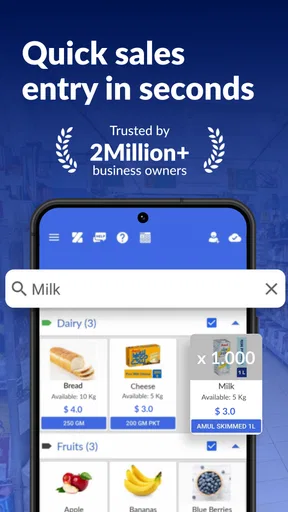
Once the inventory is in place, the practical loop is straightforward in principle: select the items involved in a purchase, create the bill, complete the transaction, and keep the stock record current. Billing and inventory belong in the same conversation because each sale affects what remains available. I’d also take time to learn where customer records fit into that routine. When a regular customer’s details and purchase history are useful to the business, recording them consistently can make later service more personal; collecting information without a clear purpose, on the other hand, only adds work.
The app’s customer-management tools and loyalty rewards can support that relationship, but I’d treat them as an optional layer rather than a reason to slow every checkout. For a returning customer, a saved record may be worthwhile. For a quick one-off purchase, the fastest and clearest path is usually the priority. This is a small operational choice, yet it can determine whether a POS system feels like help or another form to fill out.
Keeping the handoffs sensible
A sale rarely belongs to one person for the whole day. The person at the counter may be different from the person who checks stock or reviews how the shop performed. Zobaze’s combination of billing, inventory, customer records, and reports gives those jobs a shared place to start. I’d agree on a few simple habits with anyone who helps run the business: use consistent product names, record sales as they happen, and decide who is responsible for correcting stock entries. Those habits are more valuable than adding detail no one will maintain.
Worth Reading Before You Choose

EA SPORTS FC Mobile 26 Is a Bigger Football Game, but It Takes Time

Flipboard Shows What News Apps Must Do Beyond the Feed

Switching to Android Auto Means Rethinking Your Driving Routine

Google Calendar Makes a Crowded Week Easier to Manage

Ludo King Makes the Most of the Minutes Between Plans

Baby Panda World Brings Quick Play to Modern Phones, but Its Game Library Feels Busy
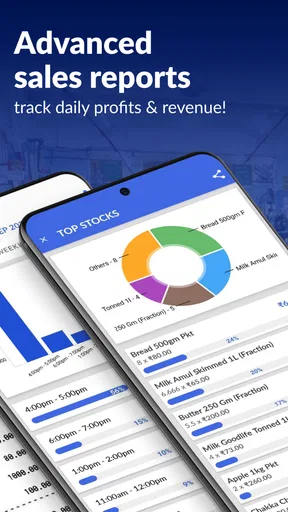
At closing time, reports can give an owner a view of sales patterns and business performance rather than leaving them to reconstruct the day from memory. I’d use that information to ask practical questions: which items need attention, whether a busy period is recurring, and whether the stock routine needs adjusting. A report is a prompt for a decision, not a replacement for checking the shelf. If a number looks surprising, compare it with what was actually sold and recorded before changing an order or a process.
There is also a useful trade-off in keeping the workflow mobile. A phone-based POS can be convenient when the owner moves between the counter and the stockroom, and it avoids making every task depend on a desktop. But a small screen is not ideal for every kind of review. I’d use the app for the transactions and checks that benefit from being close to the work, then take a deliberate moment to review reports rather than trying to interpret them in the middle of a rush.
First Impressions and Installation
First things first, installing Zobaze POS Billing & Inventory was a breeze. Available on both Android and iOS, I simply headed to the app store, hit download, and voila! It was up and running in no time. Right off the bat, the app greets you with a clean and intuitive interface. No overwhelming clutter here, just a straightforward layout that’s easy on the eyes.
The setup process was pretty seamless. After entering some basic business info, I was ready to explore the plethora of features Zobaze offers. Let’s just say it didn’t disappoint.
Features That Stand Out
So, what’s all the fuss about? Well, Zobaze is packed with features that cater to various business needs. Here’s a quick rundown:
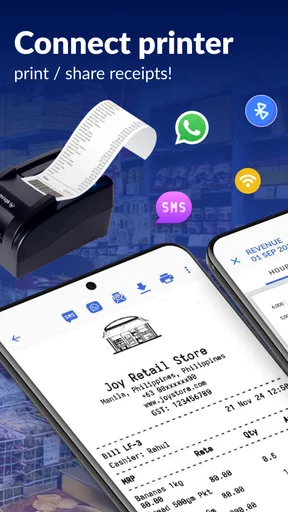
- Billing System: The app boasts a robust billing system that allows you to generate invoices with ease. Whether you’re dealing with cash or card payments, Zobaze has got you covered.
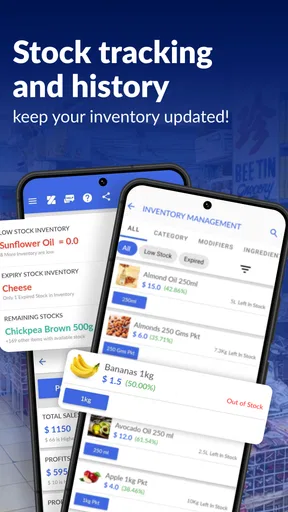
- Inventory Management: Keeping track of stock is a breeze with the inventory management feature. You can monitor stock levels, receive alerts for low inventory, and even manage suppliers.
- Customer Management: Building customer relationships is key, and Zobaze helps with that. You can store customer details, track purchase history, and even offer loyalty rewards.
- Reports and Analytics: Dive into detailed reports that provide insights into sales patterns and business performance. It’s like having a mini data analyst in your pocket.
Each of these features integrates smoothly, making the app a comprehensive tool for business owners.
User Experience
One thing I truly appreciated was the user-friendly nature of Zobaze. Navigating through the app felt intuitive, and I didn’t encounter any significant learning curve. The developers have clearly put thought into ensuring that business owners of all tech levels can use it efficiently.
The app also performs well; I didn’t experience any lag or crashes during my time using it. That’s always a win in my book!
Where I’d draw the line
Even a convenient all-in-one setup is only as dependable as the records people put into it. If staff skip sales, use inconsistent item names, or forget to update stock, the inventory view can become less useful. I’d introduce the app alongside a clear routine and check a few real transactions before making it the basis for ordering decisions. The offline angle is helpful, but it doesn’t remove the need to understand how records behave across the devices and work patterns in a particular business.
I’d also be cautious about assuming that every business needs customer profiles or loyalty features. A shop with frequent repeat buyers may get genuine value from purchase history and rewards. A business that mainly handles occasional, simple transactions may prefer a leaner checkout and less customer data to maintain. Similarly, detailed reporting helps most when someone has time to review it and act on what it shows; if no one will do that, the feature list alone won’t improve day-to-day decisions.
For a large warehouse or a business with specialized accounting, staff permissions, or complex integrations, I would compare the app carefully with systems designed around those requirements. A mobile POS can be a sensible starting point, but a bigger operation may need a more formal setup and a broader back-office workflow. I wouldn’t choose based on the promise of covering many tasks; I’d test the exact product, billing, and handoff routine the team uses every day.
Who should give it a try
The app is free to download, and its Everyone content rating makes it broadly accessible. It has a 4.7 average from around 26,000 ratings, with over a million installs. Those figures suggest it has found an audience, but I’d still judge it by whether the actual checkout and stock process fit your business. The current version is 2.7.54, and it requires Android 5.0 or later on Android devices.
It suits an owner who wants billing, stock tracking, customer details, and sales reports in one mobile-oriented business tool. It is also worth considering for a small team that can agree on consistent entry habits and wants to reduce the number of separate places used to record a sale. Someone who only needs a basic receipt maker may find the wider management approach unnecessary, while a business that depends on complex desktop workflows may be better served by a specialist POS or accounting platform.
The app is free, but in-app purchases range from $4.40 to $269.00 per item. I’d check the available purchase options against the features the business genuinely needs before building a workflow around them. That is a more useful way to assess the cost than assuming that every capability is included at no charge. I’d also test the app with a small, representative set of products and a normal day’s transactions before moving all records over.
Is It Worth It?
Now, onto the big question: should you invest your time (and possibly money) into Zobaze POS Billing & Inventory? In my opinion, if you’re running a business and need a reliable system to handle billing, inventory, and customer management, this app is a great pick.
With its array of features, ease of use, and solid performance, Zobaze can be a game-changer for managing your store. Plus, it’s versatile enough to cater to businesses of all sizes. What’s not to love?
And hey, if you’re still on the fence, the app offers a free trial, so you can test the waters before diving in fully. That’s always a plus!
So there you have it, folks. Zobaze POS Billing & Inventory is a solid contender in the business app arena, and I’d say it’s worth giving a shot. Happy app exploring!
Pros
- User-friendly interface
- easy for beginners.
- Efficient inventory management features.
- Supports multiple languages and currencies.
- Offline mode available for uninterrupted use.
- Customizable invoices and receipts.
Cons
- Limited integration with third-party apps.
- Occasional syncing delays with cloud.
- Basic analytics features
- lacks depth.
- Customer support response can be slow.
- Subscription may be costly for small businesses.
FAQs for Zobaze POS Billing & Inventory
What features does Zobaze POS Billing & Inventory offer?
Zobaze POS Billing & Inventory provides a comprehensive suite of features including sales tracking, inventory management, customer relationship management, and reporting tools. It also supports multiple payment methods, barcode scanning, and offline mode, making it versatile and user-friendly for small to medium-sized retail businesses.
Is Zobaze POS Billing & Inventory suitable for all types of businesses?
Zobaze POS is particularly tailored for small to medium retail businesses, cafes, and restaurants. It offers features that cater to the specific needs of these industries, such as inventory tracking and sales analytics. However, larger businesses with complex needs might find it lacking in advanced customization options.
Can Zobaze POS Billing & Inventory work offline?
Yes, Zobaze POS Billing & Inventory is designed to function offline, ensuring that sales and inventory management can continue uninterrupted even without an internet connection. Data is synced automatically once the device is connected online again, providing seamless operation and data integrity.
How secure is my data on Zobaze POS Billing & Inventory?
Data security is a priority for Zobaze. The app uses encryption protocols to protect sensitive information and ensures that all data is securely stored and backed up. Regular updates and security patches are also part of the app’s maintenance to protect against vulnerabilities.
What kind of support does Zobaze provide to its users?
Zobaze offers comprehensive support to its users through various channels, including email support, a dedicated help center, and tutorial guides within the app. They also provide regular updates to enhance functionality and address any user-reported issues, ensuring a smooth user experience.


